Find every clip in a VOD without scrubbing it.
Paste the stream you're clipping. Every moment worth posting comes back already rendered, graded and captioned, so your hours go into choosing and posting, not into scrubbing through the VOD.
In private Beta · Free, invite-only.
| # | Score | Clip | Length |
|---|---|---|---|
| 1 | 94A+ | 1v4 Clutch on One HP | 0:28 |
| 2 | 87A | He Said the Map Was 'Easy' | 0:32 |
| 3 | 83A- | Chat Called It Before I Did | 0:27 |
| 4 | 79B+ | Why I Stopped Playing Aggressive | 0:47 |
| 5 | 74B | The Worst Rotation in Ranked History | 0:20 |
| 6 | 66B- | The New Patch Made Everyone Lazier | 0:39 |
| 7 | 61C+ | Setting the Trap | 0:41 |
| 8 | 57C | Thank You for 10K | 0:25 |
The clip list
Start at the top of the list.
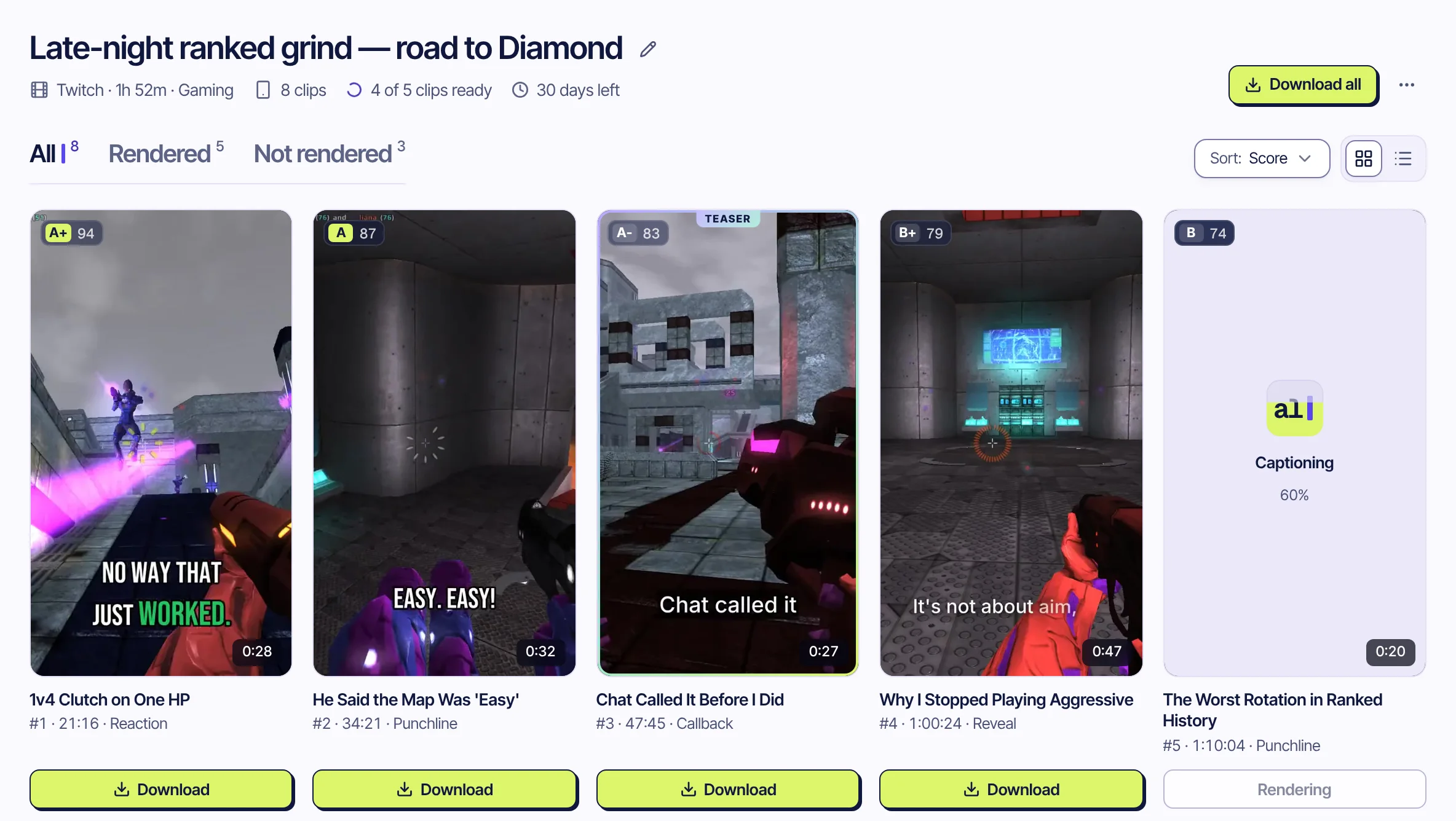
Paste the VOD link. When the analysis is done, every moment worth posting is already rendered as a vertical clip with captions, ranked by score. You decide what goes out.
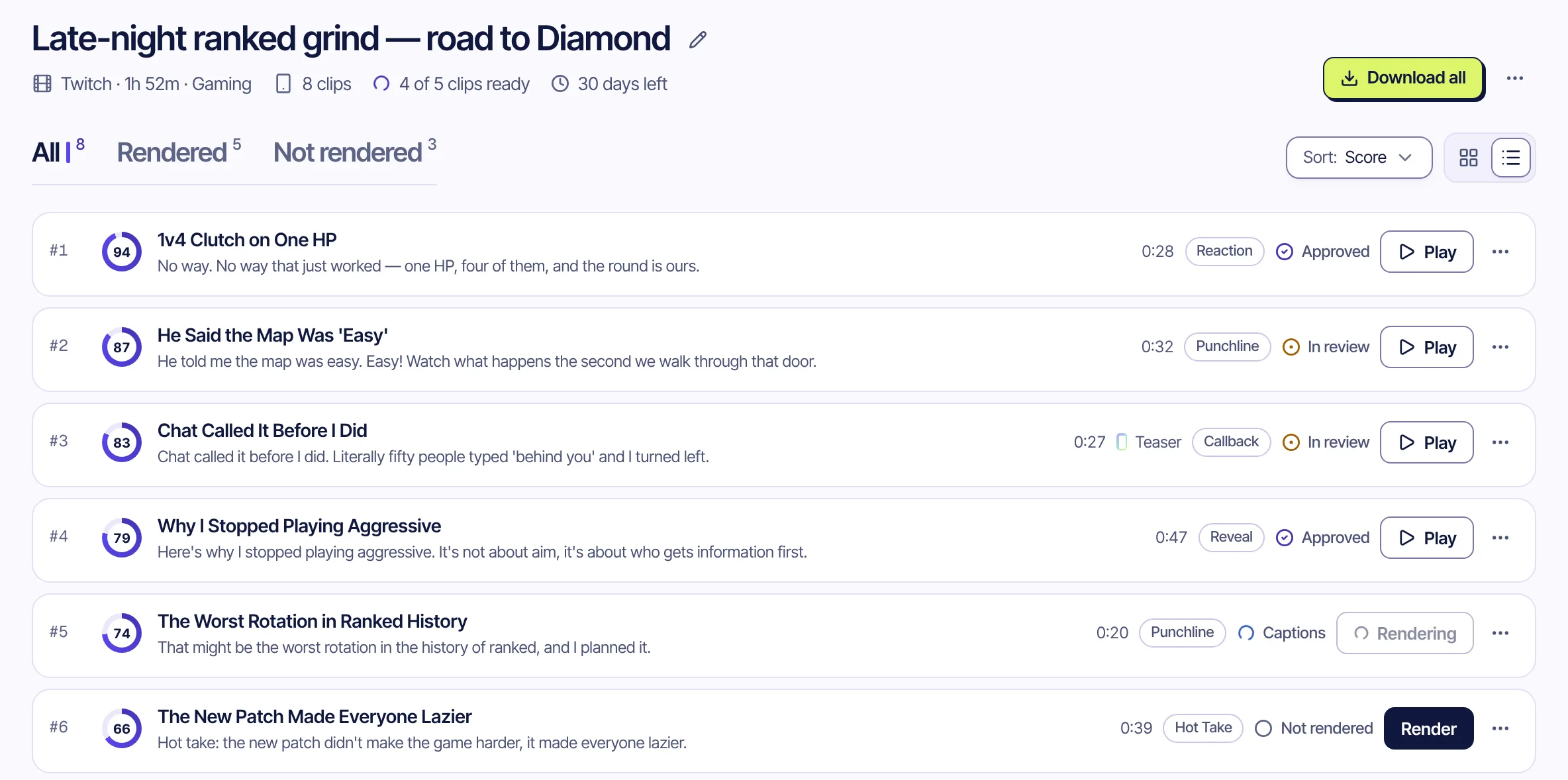
- Score and rankEvery clip gets a score out of 100. #1 is the one to post first.
- Sort by score or timeSwitch to time order to walk the stream from the start.
- Review statusApprove or reject as you go, so you know which clips you already checked.
- Download allEvery rendered clip of the VOD in one ZIP file.
Grades
Graded before you press play.
Claude, an AI model developed by Anthropic, reads the whole transcript and grades each clip on four things. The timing comes from the transcript, never guessed, so a clip doesn't start mid-sentence.
- Hook
- How well the first 3–5 seconds grab attention.
- Flow
- Pacing, sentence structure, delivery.
- Value
- What the clip gives the viewer: payoff, reward, use.
- Trend
- Shareability and current cultural relevance.
Your routine
Less time in the VOD, more time posting.
auto_import
Follow the channels you clip for
Save a streamer's Twitch, Kick or YouTube channel and turn on auto import. Each stream that ends is imported and clipped without a link.
clip_when_it_ends
Queue a stream that's still live
A live stream can be marked “Clip when it ends”. It is picked up a few minutes after it goes offline.
caption_style
Rotate 9 caption styles
Set the style per clip, so the same VOD doesn't look the same on every account you post to.
Questions
What clippers ask us
Whose videos can I clip?
Your own, or ones you have the rights or the creator's permission to clip, such as through a clipping program. Our Terms ask for that, and you stay responsible for what you post.
Which links work?
Twitch past broadcasts, highlights and clips, Kick VODs and clips, and YouTube videos and livestream replays. A stream that is still live can be marked “Clip when it ends”.
Does it post for me?
No. Clips are prepared for TikTok, YouTube Shorts and Instagram Reels and wait in a review queue. You download them and post them yourself.
Which languages work?
The spoken language is detected automatically. Today the analysis and captions are tuned for English and Turkish.
What does it cost?
It is free during the private beta. Pricing for later hasn't been set, and beta testers will hear about it first.
That VOD already has your next clip in it.
In private Beta · Free, invite-only.
Also for creators, educators, companies and sports channels.