Clip every video as a team.
Invite your editors and work in one shared space: the videos, the clips, one Brand kit and one library. Leave a note on the exact second that needs work, see who is on which video, and see a teammate's changes the moment they save them.
In private Beta · Free, invite-only.
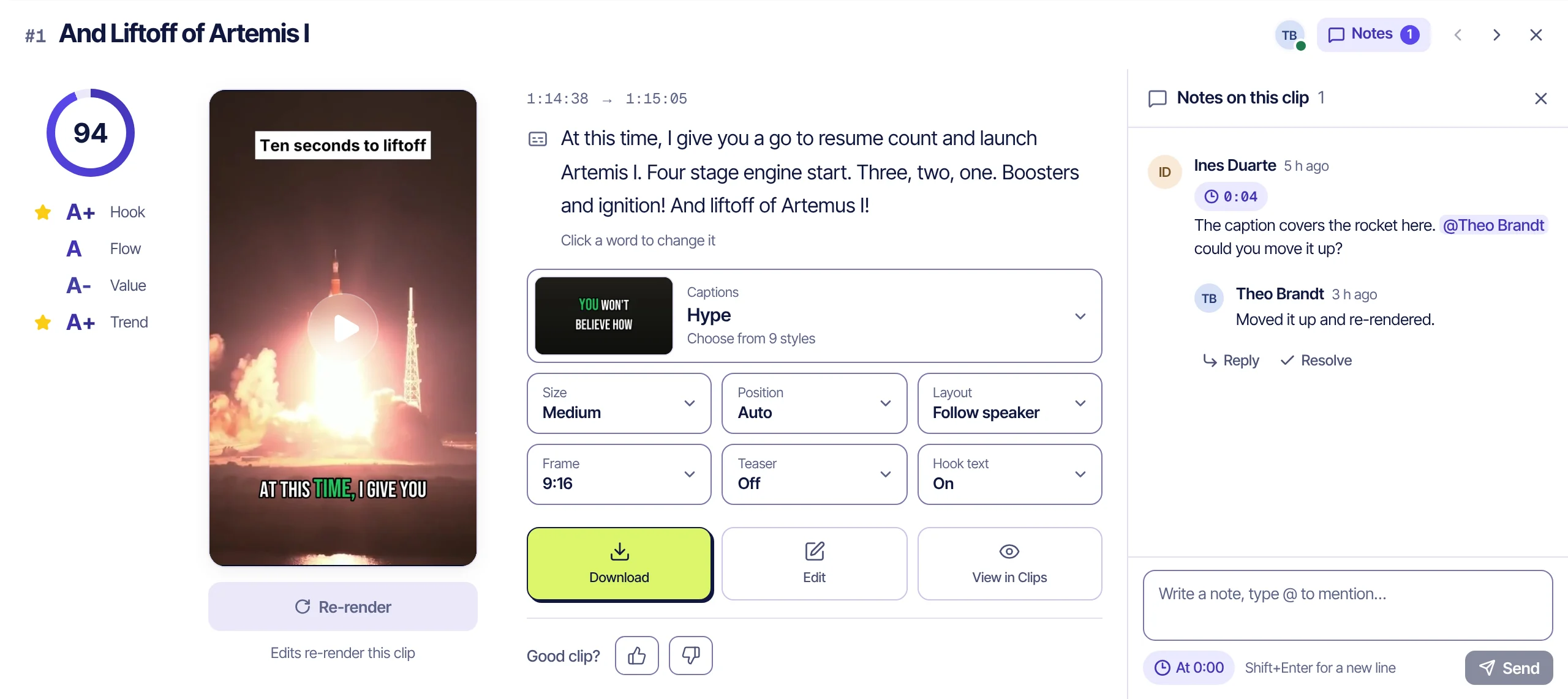
Demo team and notes. Clip frames from public-domain NASA footage. NASA does not endorse Audience Labs. Sources
One clip, three people
Pass a clip around without losing track of it.
- Nova01 · Owner
Add the video
Nova pastes the broadcast's link in the team. The moments worth posting come back as captioned clips in the team's look.
- Ines02 · Editor
Note the second
Ines pins a note to 0:04 of a clip: the caption covers the rocket. She mentions Theo, and his bell lights up.
- Theo03 · Admin
Fix it
Theo moves the caption up, renders the clip again and replies. The clip now shows his face as the last to edit it.
- Nova04 · Owner
Approve and download
Nova resolves the note, approves the clip and downloads it, ready to post from the team's own accounts.
Notes on the moment
Leave the note on the exact second.
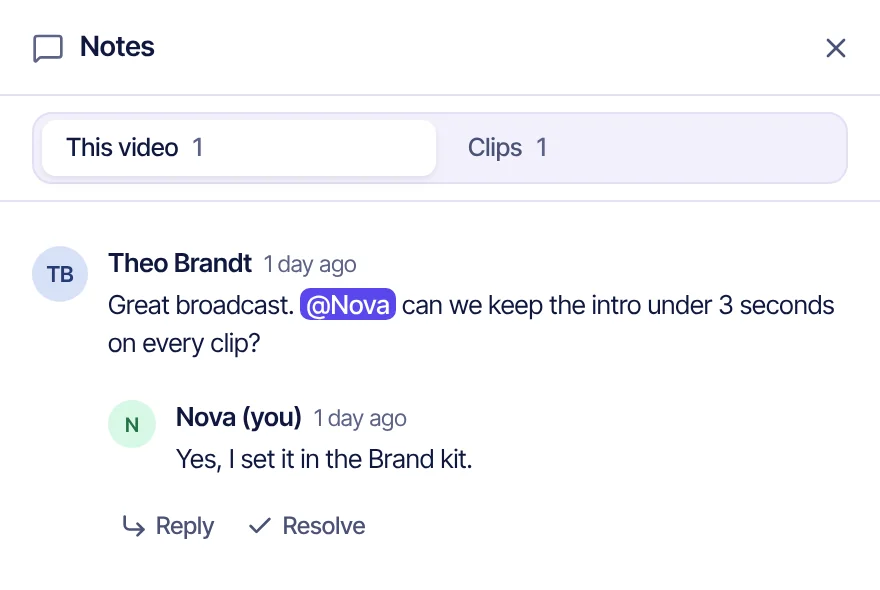
Pin a note to a moment of a clip, or leave one on the whole video. One click on its time plays the clip from there, in the clip window or in the editor. Reply under it, and type @ to bring a teammate in.
- Mention a teammateType @ and pick a name. They hear about it wherever they are in the app, or on their desktop if they turn that on.
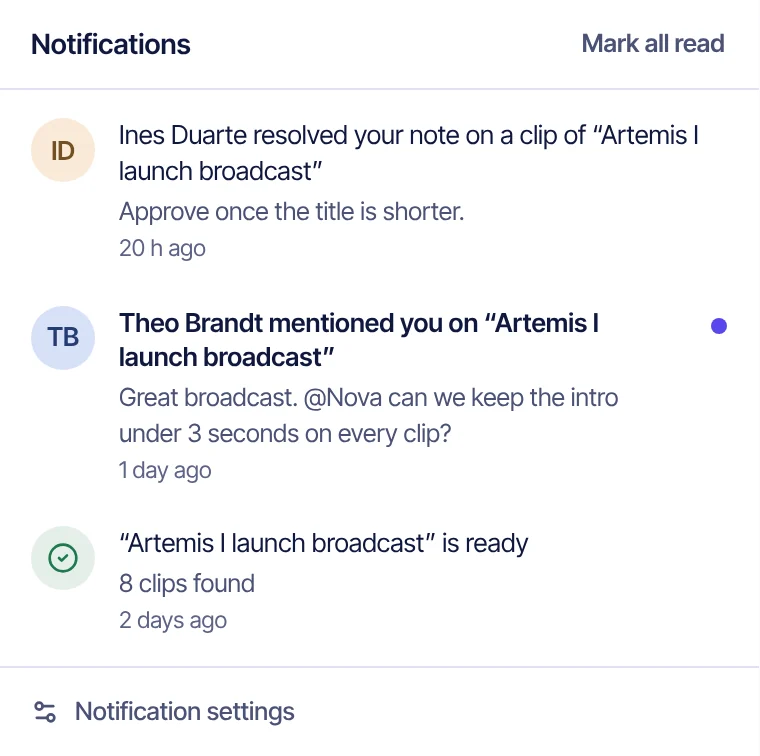
- One bellMentions, replies, resolved notes, team videos finishing and new members. One click opens the note where it is. Each kind can be switched off.
- Resolve itMark a note done once it's fixed. It folds away and stays on the clip.
Who's here
See who is on which video.
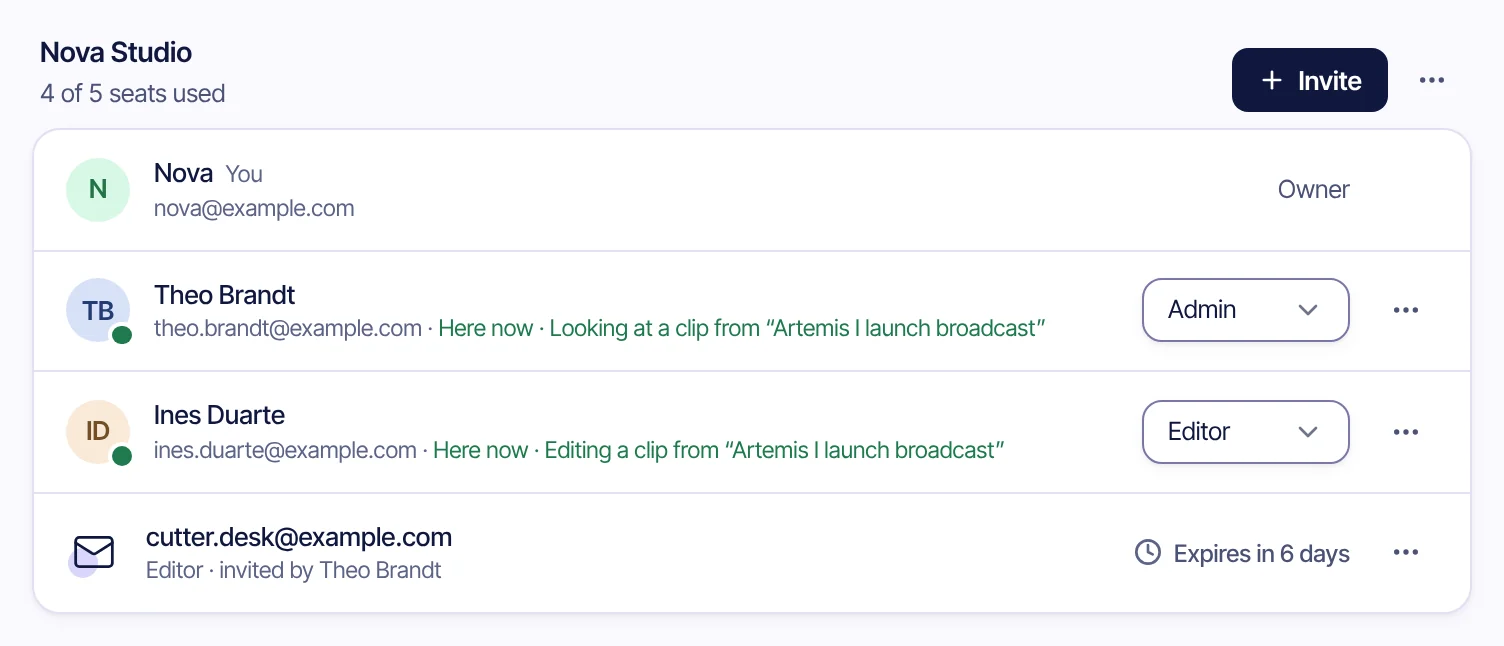
Every page's top bar says who else is on it, and the sidebar puts teammates' faces next to Library or Clips. Hover a face to see where they are, or click it to go there. On a video, each clip shows who last edited it, who has it open and who is in the clip editor; Library cards show who added each video and how many notes are open.
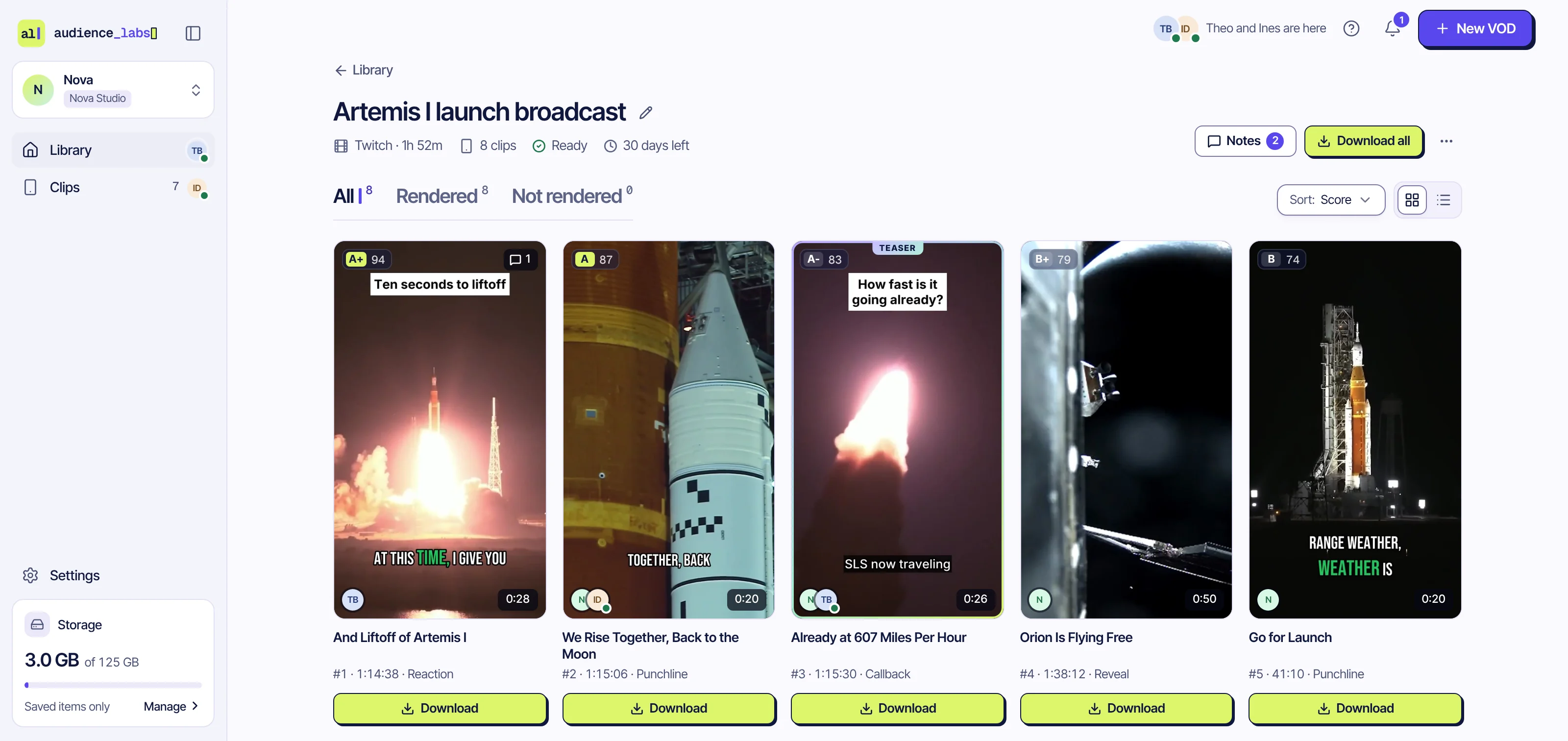
Demo team. Clip frames from public-domain NASA footage. NASA does not endorse Audience Labs. Sources
Live changes
See a teammate's change as it lands.
When a teammate saves a change on the page you have open, that part gets a ring in their colour and their name. A few seconds later it folds into a dot that says what they changed and when.
- No reloadThe video page, Clips, the Brand kit and team settings follow a teammate's saves as they happen.
- Keep yours or use theirsStill renaming a video or changing a Brand kit setting when a teammate saves theirs? A note shows their version, and you pick which one stays.
- Approvals say whoA clip a teammate approves or rejects leaves your Clips list with a note saying who did it.
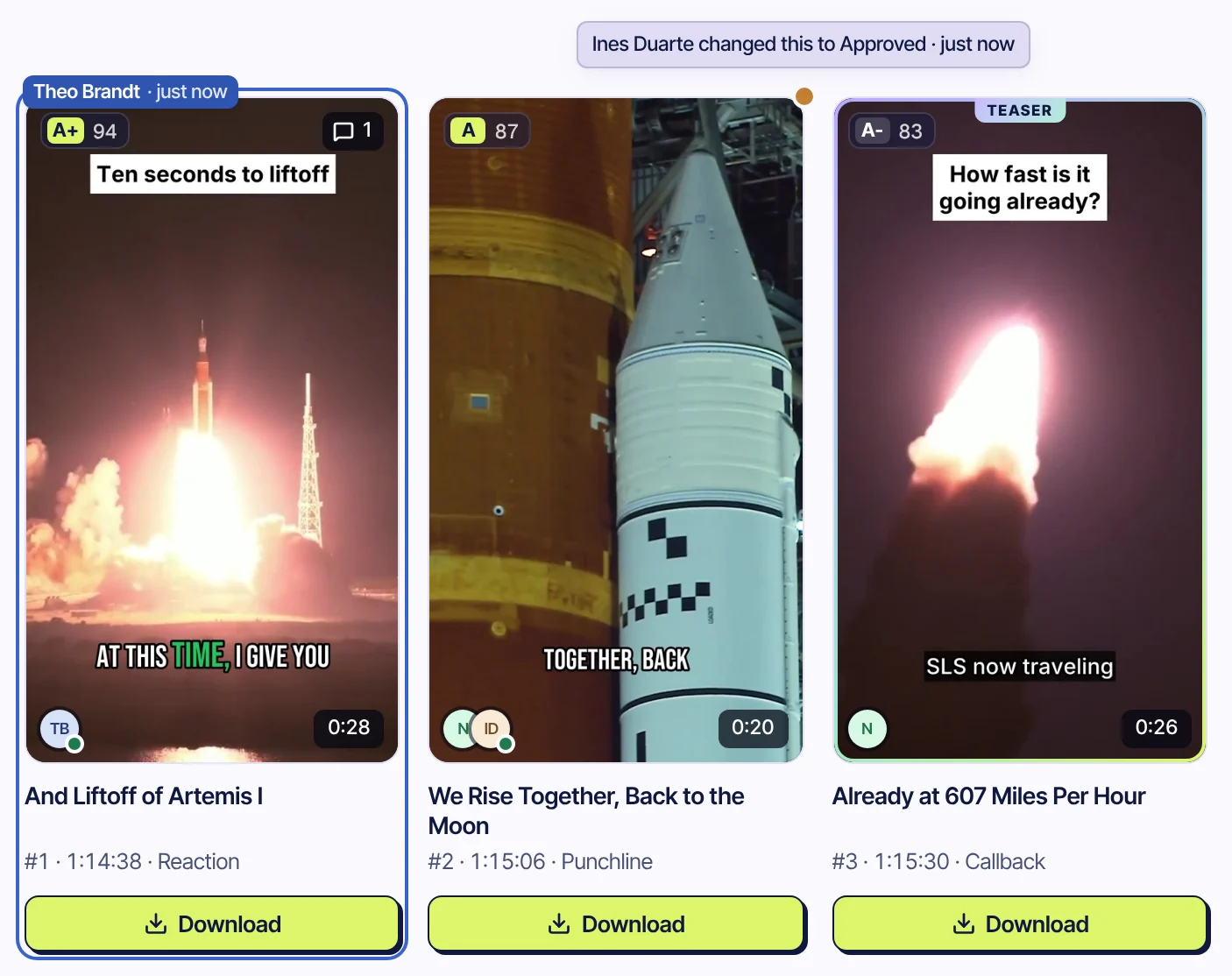
Demo team. Clip frames from public-domain NASA footage. NASA does not endorse Audience Labs. Sources
Roles
Owner, admins and editors.
Invite people by email, or copy the invite link and send it yourself. It shows your team's name and who invited them, and lasts 7 days. Everyone keeps a personal space next to the team and switches between the two from the account menu.
| Action | Owner | Admin | Editor |
|---|---|---|---|
| Add videos, edit, render, approve, download | Yes | Yes | Yes |
| Delete videos | Any | Any | The ones they added |
| Invite and remove people, change roles | Yes | Yes | No |
| Edit the Brand kit | Yes | Yes | No |
| Rename or delete the team | Yes | No | No |
One look
Every clip in your team's look.
Owners and admins set the team's Brand kit once. Every clip anyone in the team makes starts from it, and every upload lands in the team's library.
- Framing and content typeThe layout every clip starts with, and the kind of video the team makes.
- Caption styleThe style and colour every new clip starts with.
- Logo, intro and outroThe team's own, on every clip.
- One libraryLogos, intros and outros, b-roll, music and sounds, in every teammate's editor.
Your team's videos
Who sees your team's work.
Only your team
Videos, clips and notes added in a team are visible to its members. What you add in your personal space stays yours.
Nothing is posted for you
Clips are prepared for TikTok, Shorts and Reels. You download what you approve and post it from your own accounts.
Deleted after 30 days
A recording and everything made from it is deleted automatically 30 days after it was added, unless the team saves it.
Questions
What teams ask us
How do we get a team?
Teams are part of the private beta and are set up by hand. Ask for a team when you request access and say how many people will use it; the team gets that many seats.
Who sees our videos?
Only the members of your team. Everyone also keeps a personal space next to the team, and what they add there stays theirs. The transcript is read by Claude, an AI model developed by Anthropic, to find the moments; the Privacy Policy lists every processor.
Who can delete our videos?
Owners and admins can delete any team video, editors only the ones they added. A deleted video waits in Recently deleted for 5 days before it is gone for good.
What if two of us change the same thing?
If a teammate saves a new title or Brand kit setting while you are still changing it, a note shows their version and you pick which one stays. Brand kits save one group at a time, so two people changing different settings never overwrite each other.
Does it post to our accounts?
No. Clips are prepared for TikTok, YouTube Shorts and Instagram Reels and wait in a review queue. You download what you approve and post it yourself.
Which languages work?
The spoken language is detected automatically. Today the analysis and captions are tuned for English and Turkish.
What does it cost?
It is free during the private beta. Pricing for later hasn't been set, and beta testers will hear about it first.
Put the whole team on the same clip.
In private Beta · Free, invite-only.
Also for creators, clippers, podcasters, educators, companies and sports channels.